SmartServer IoT:
Overview
The EnOcean SmartServer IoT is an edge controller providing connectivity for EnOcean radio devices and integration with Building Management Systems (BMS) and HVAC systems via BACnet, Modbus, and LON protocols. Installed on-premises, the SmartServer IoT enables secure connections between Operational Technology (OT) systems, IT systems, and the EnOcean SmartStudio platform.
The following describes how to configure the SmartServer IoT as a gateway for connecting EnOcean radio devices with SmartStudio. How to configure the SmartServer IoT to pull data from SmartStudio and integrate it into Building Management Systems (BMS) and HVAC systems is described here.
Prerequisites
Before deployment, ensure the following prerequisites are met:
- The SmartServer is mounted and powered up.
- The SmartServer is connected to the internet.
- The EnOcean USB dongle must be connected.
Note
Refer to the link below for the detailed steps on completing the prerequisites.
Set up SmartServer IoT
Configuration
Step 1: Retrieve SmartStudio Connection Information
- Retrieve the the Username, Password, and Authentication URL from SmartStudio:
- Go to the Integrations section.
- Select SmartServer Local.
-
Copy the information:

Step 2: Log in to the SmartServer Web Management UI
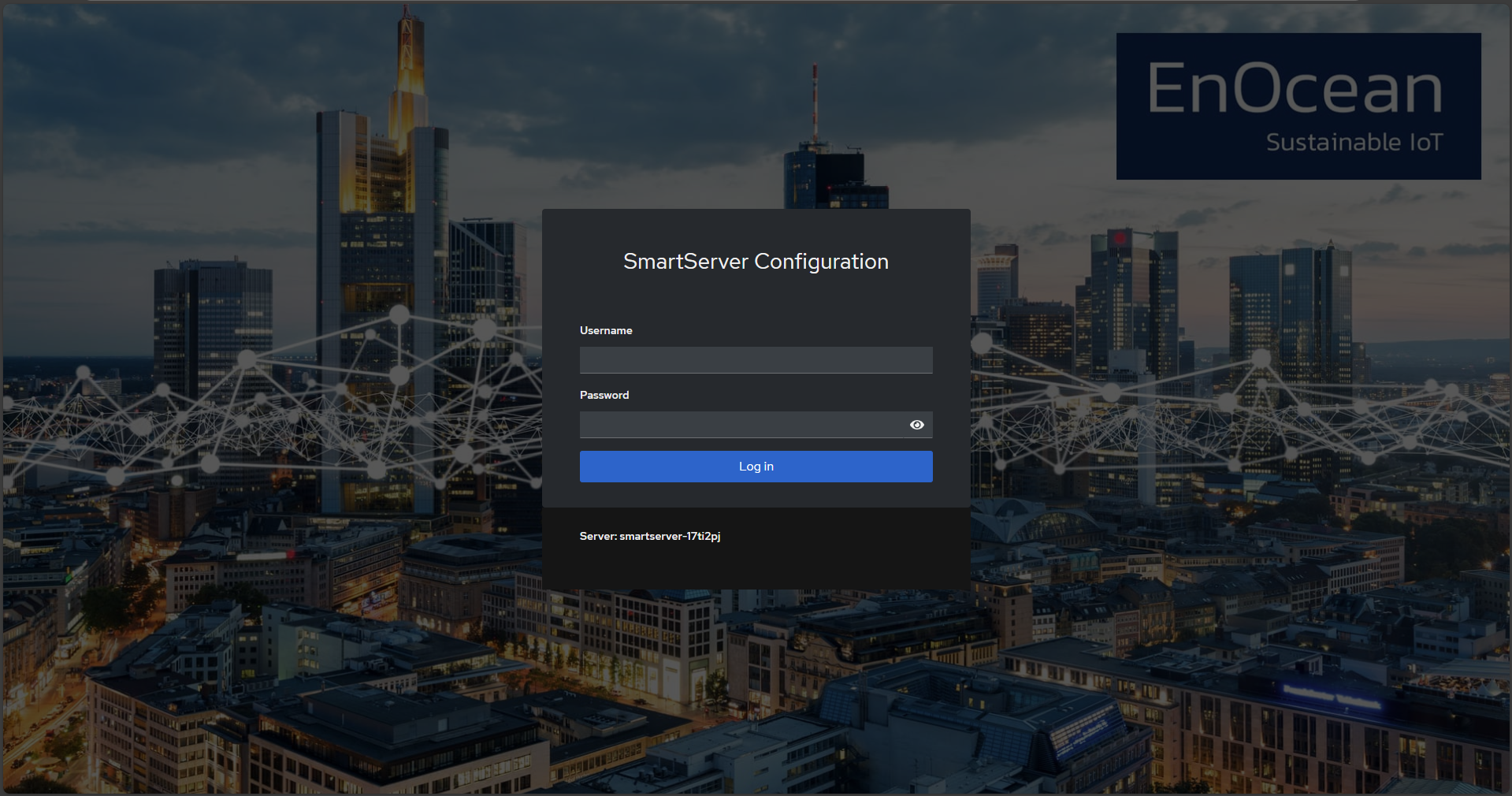
- Open a web browser and navigate to the SmartServer's Configuration Page.
-
Log in using your apollo user and password.
Step 3: Navigate to the EnOcean Tab
-
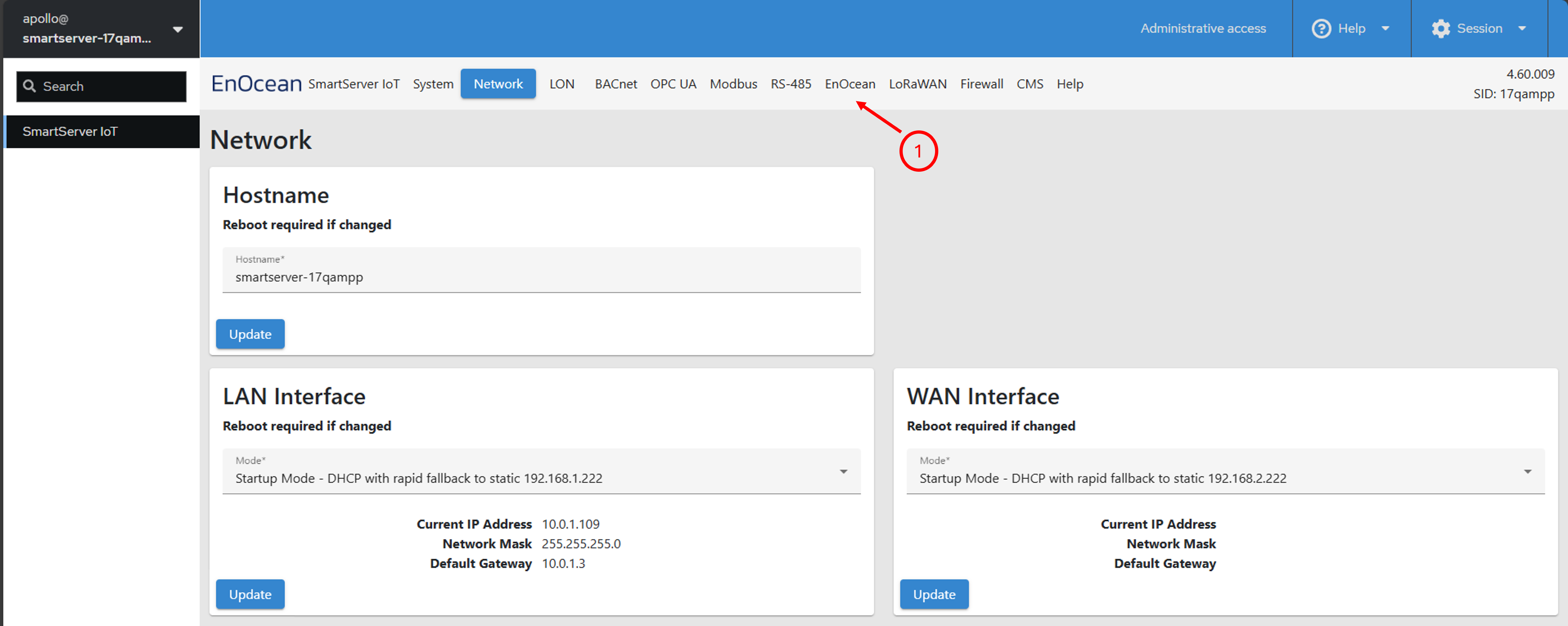
Once logged in, go to the EnOcean tab in the SmartServer Configuration Page as shown below.
Step 4: Authenticate with EnOcean SmartStudio
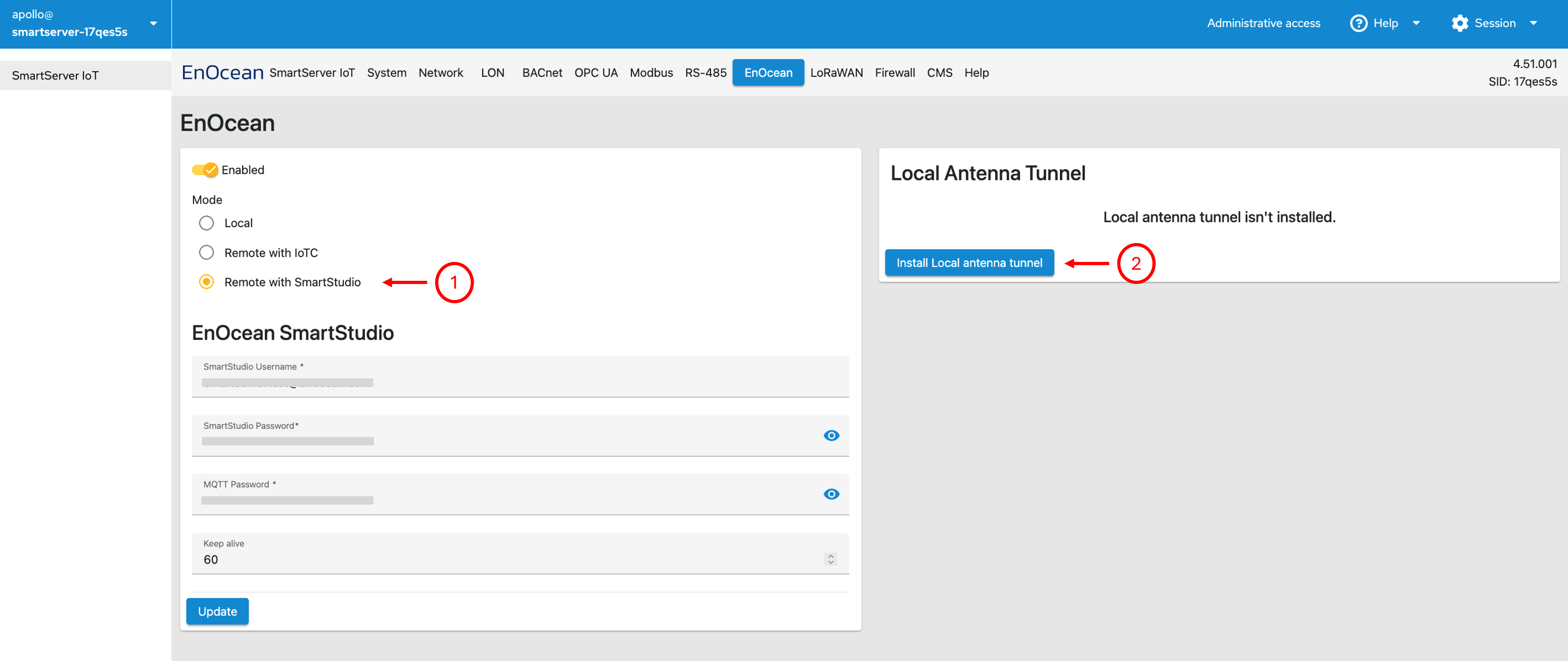
- In the left section of the EnOcean tab, enable the switch and select Remote with SmartStudio.
- Leave the Username and Password blank, unless the SmartServer should pull information from SmartStudio as described here.
- Click Update.
-
In the right section of the EnOcean tab, Install Local antenna tunnel.
 5. Enter the information to connect with SmartStudio as shown below, then click Update: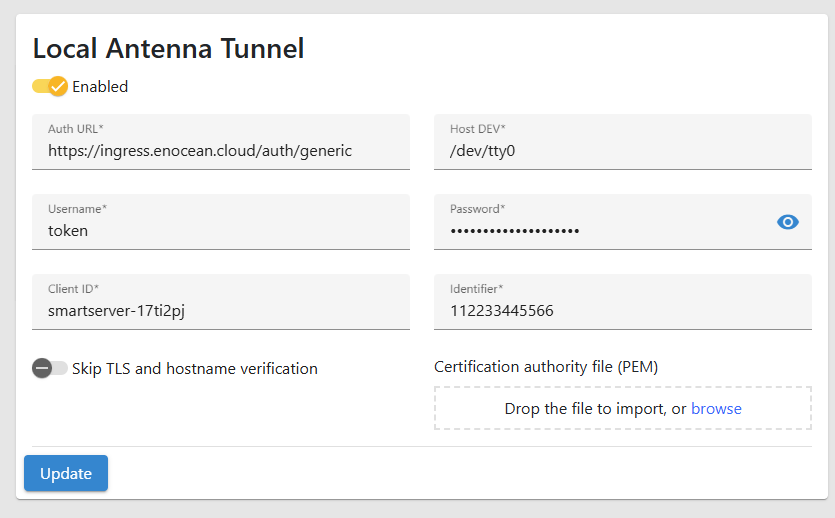
Note
- Auth URL: Retrieved from SmartStudio
- Host DEV: Select the USB dev port of the EnOcean USB dongle
- Username: Retrieved from SmartStudio
- Password: Retrieved from SmartStudio
- Client ID: Enter the SmartServer hostname obtained from product label.
- Identifier: Enter the 12 Digit hex code of your MAC ID 1 obtained from product label.
More detailed information on the setup can be found here.
Step 5: Verify the Connection
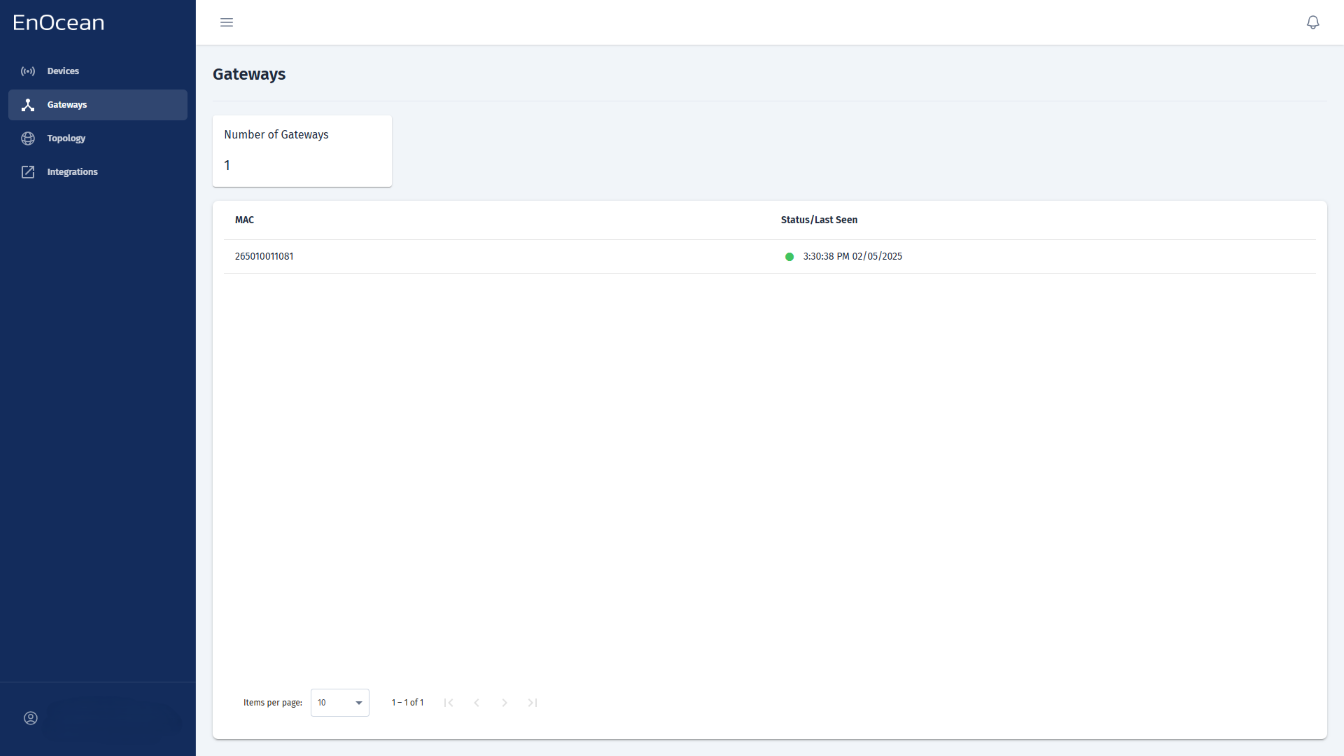
You can check the SmartServer IoT status directly from the Gateways tab in the EnOcean SmartStudio dashboard:
- Log in to the EnOcean SmartStudio web interface.
- Navigate to the Gateways tab.
-
Locate your SmartServer IoT in the list and check its connection status.
Alternatively, you can verify the gateway status using the API:
- Log in to the EnOcean SmartStudio API.
- Use the
GET /v0/gatewaysendpoint to check the connection status.