OPUS IQ DOT
Overview
The OPUS IQ DOT from DC Next can be used as a gateway to connect EnOcean devices with SmartStudio.
Prerequisites
Before deployment, ensure the following prerequisites are met:
- The OPUS IQ DOT is mounted and powered up.
- The OPUS IQ DOT is connected to the internet.
Note
For detailed instructions on mounting and connecting the OPUS IQ DOT, refer to the guides provided by DC Next.
Configuration
Step 1: Retrieve SmartStudio Connection Information
-
Retrieve the Username, Password, and Authentication URL from SmartStudio:
- Go to the Integrations section.
- Select OPUS under Gateways.
- Copy the information:

Step 2: Configure SmartStudio Connection
- In the Management UI of your gateway, navigate to Internet of Things → EnOcean SmartStudio.
- Fill in the required fields with the information obtained above.
- Set Enable SmartStudio Connection to On.
-
Click OK to save your settings.

Step 3: Verify Gateway Connection
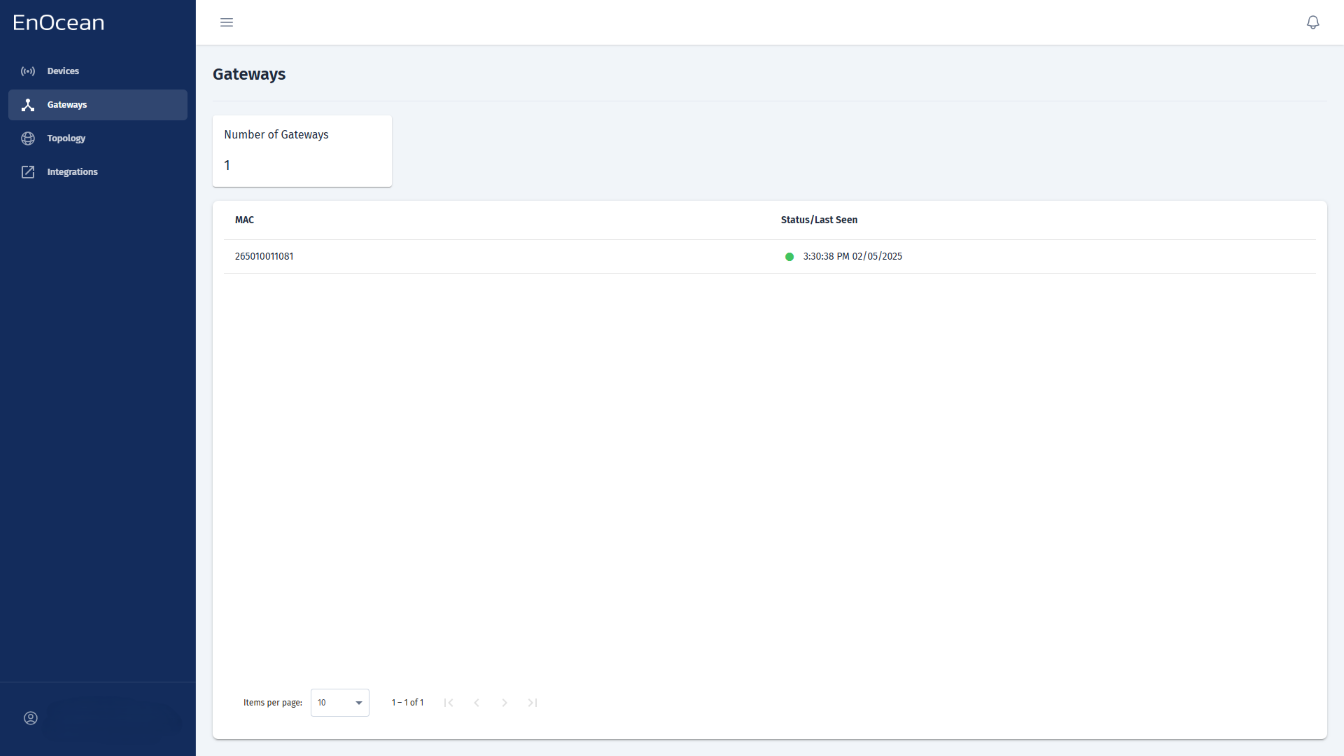
You can check the gateway status directly from the Gateways tab in the EnOcean SmartStudio dashboard:
- Log in to the EnOcean SmartStudio web interface.
- Navigate to the Gateways tab.
-
Locate your gateway in the list and check its connection status.
Alternatively, you can verify the gateway status using the API:
- Log in to the EnOcean SmartStudio API.
- Use the
GET /v0/gatewaysendpoint to check the connection status.